YouQR

QR Code Kya Hota Hai? Hindi Meaning and Everyday Examples

QR कोड छोटे चौकोर खानों से बना एक पैटर्न है, जिसमें जानकारी रखी जा सकती है। फोन का कैमरा या सही स्कैनर उस पैटर्न को पढ़कर लिंक, टेक्स्ट या किसी खास काम की जानकारी पहचानता है। QR का पूरा नाम Quick Response है।

आसान उदाहरण लें: किसी मिक्सर के डिब्बे पर QR कोड लगा है। उसे स्कैन करने पर मिक्सर की सफाई के निर्देश खुलते हैं। कोड ने फोन को उस पेज का पता दिया; पूरे निर्देश जरूरी नहीं कि कोड के भीतर रखे हों।

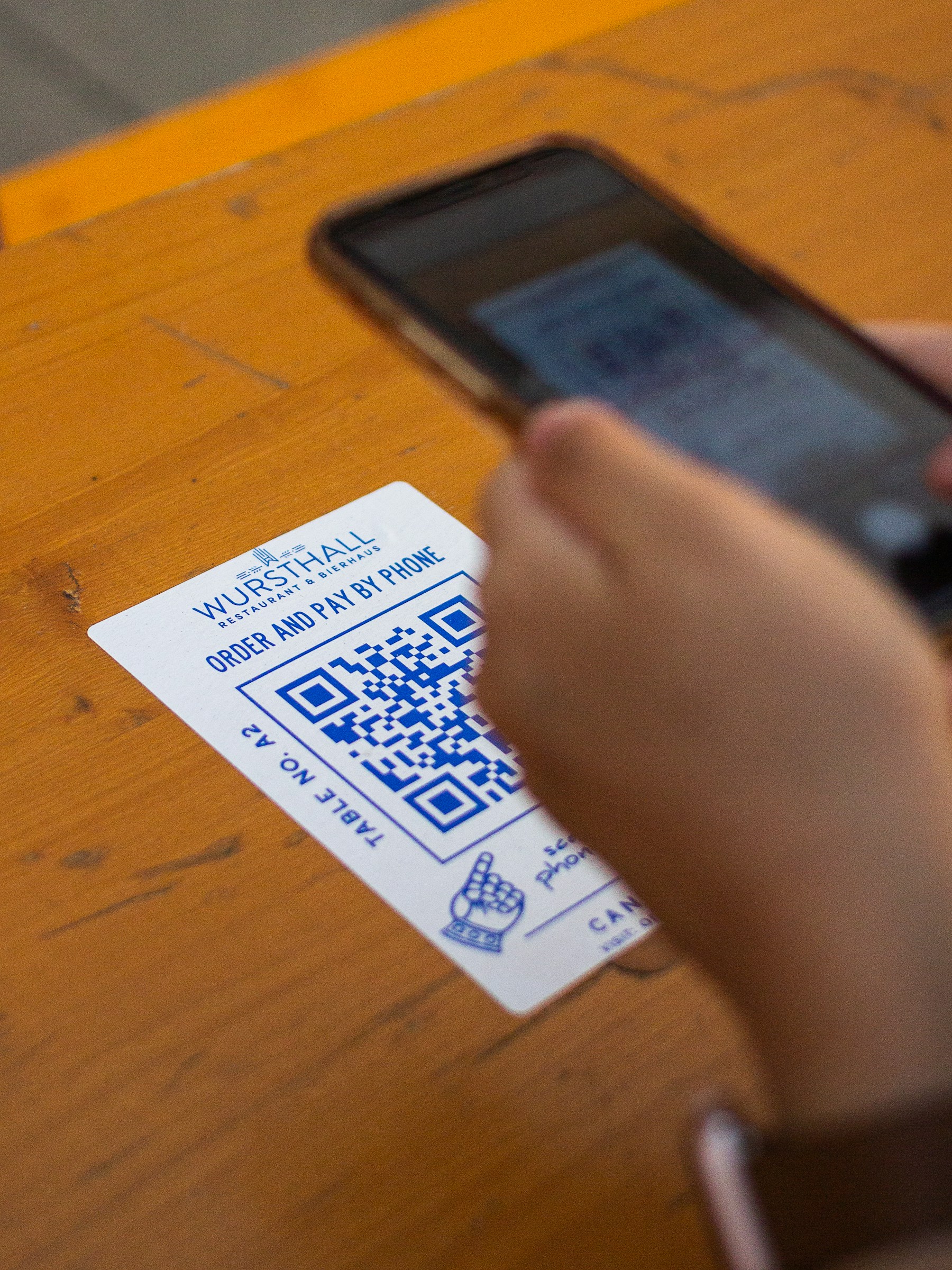
कैफ़े की मेज़ पर जानकारी और QR कोड वाला छोटा कार्ड
कैफ़े की मेज़ पर रखा QR कोड—रोज़मर्रा के इस्तेमाल का एक उदाहरण। Photo by Haberdoedas on Unsplash.

हर QR कोड एक जैसा काम नहीं करता

  • वेबसाइट का कोड: किसी पेज या दस्तावेज का लिंक खोलता है।
  • भुगतान का कोड: भुगतान ऐप को जरूरी जानकारी देता है। स्कैन करना और भुगतान की पुष्टि करना अलग चरण हैं।
  • संपर्क का कोड: संपर्क जानकारी या संपर्क पेज तक पहुंचा सकता है।
  • टिकट का कोड: संबंधित सेवा के अपने नियम और जांच हो सकते हैं।

इसलिए किसी खास ऐप में कोड न पढ़े जाने का मतलब हमेशा यह नहीं कि तस्वीर खराब है। ऐप उस तरह का कोड स्वीकार करता है या नहीं, यह भी देखना होता है। QR के मूल उपयोगों के लिए उसके निर्माता की DENSO WAVE की जानकारी देख सकते हैं।

स्कैन करने और जानकारी खोलने में अंतर

कैमरा पैटर्न पहचान सकता है, लेकिन वेबसाइट खोलने के लिए इंटरनेट की जरूरत हो सकती है। कोई निजी पेज खुलने पर लॉगिन भी मांग सकता है। सही QR बनाने से वेबसाइट की अनुमति अपने आप नहीं बदलती।

स्कैन करने पर दिखने वाले पते को देखें। अगर पेज आपकी अपेक्षा से अलग काम करने को कहे, तो आगे बढ़ने से पहले जानकारी की पुष्टि करें। किसी काम की पुष्टि किए बिना केवल स्कैन होने को सफलता न मानें।

अपने काम में इसका इस्तेमाल कैसे सोचें?

पहले तय करें कि व्यक्ति को क्या चाहिए। दुकान का पता, किसी प्रोडक्ट के निर्देश और ग्राहक का फीडबैक—इन तीनों के लिए अलग पेज उपयोगी हो सकते हैं।

अगर आपके पास सार्वजनिक वेब लिंक है, तो YouQR का QR कोड जनरेटर उसे स्कैन करने योग्य कोड में बदलने का विकल्प देता है। वास्तविक जानकारी तैयार रखना, सही लिंक चुनना और कोड जांचना फिर भी जरूरी है। सामान्य लिंक कोड और AI से सवाल पूछने वाला अनुभव भी अलग हैं; AI के लिए जानकारी और सहायक की अलग व्यवस्था चाहिए।

अक्सर पूछे जाने वाले सवाल

क्या QR कोड केवल भुगतान के लिए है?

नहीं। वह वेबसाइट, प्रोडक्ट निर्देश और दूसरी जानकारी तक पहुंचने के लिए भी इस्तेमाल होता है।

क्या स्कैन करते ही पैसा कट जाता है?

सिर्फ QR पहचानना भुगतान की पुष्टि नहीं है। अपने भुगतान ऐप में दिख रहे विवरण और अगले चरण देखें।

क्या QR के भीतर पूरा वीडियो रहता है?

सामान्य वीडियो-लिंक कोड वीडियो का पता खोलता है। वीडियो संबंधित वेबसाइट पर रहता है।

क्या हर QR कोड में AI होता है?

नहीं। बहुत से कोड केवल लिंक या दूसरी जानकारी देते हैं। AI वाला अनुभव उस लिंक के पीछे अलग से बनाया जाता है।

You may also like reading

QR Code Kaise Banaye: A Step-by-Step Hindi Guide

QR Code Kaise Banaye: A Step-by-Step Hindi Guide

लिंक से QR कोड बनाने के लिए पहले वह पेज खोलें जो आप दूसरों को दिखाना चाहते हैं। उसका सार्वजनिक लिंक कॉपी करें, YouQR के जनरेटर में डालें और बना हुआ कोड डाउनलोड करें। अंत में दूसरे फोन से जांचें कि सही पेज खुल रहा है। यह तरीका वेब लिंक के लिए है। WiFi का पासवर्ड सीधे फोन में भरने वाला कोड, भुगतान कोड या आधिकारिक टिकट अलग तरह की जानकारी इस्तेमाल कर सकते हैं। उन्हें सामान्य वेबसाइट लिंक के समान न मान

Read more →
QR Code Stickers and Labels: From Design to Placement

QR Code Stickers and Labels: From Design to Placement

A QR code sticker adds a scannable destination to something you already have: packaging, a counter display, a product guide, or a storage label. YouQR supplies the digital code; printing and applying the physical sticker are separate steps. Start by deciding what a person should achieve after scanning. A sticker on a product box might open setup instructions. A sticker at a shop counter might open

Read more →
QR Code Sticker Size: Choose, Print and Test Yours

QR Code Sticker Size: Choose, Print and Test Yours

The right QR code sticker size depends on how people will scan it. A handheld product label and a notice viewed across a counter need different treatment. Choose the size around the use, then test a finished sticker on the intended surface. Also distinguish the sticker's total dimensions from the space used by the QR pattern. Your label needs room for the pattern, its clear margin, and any caption

Read more →
QR Code Not Scanning? Check the Image, Link and Destination

QR Code Not Scanning? Check the Image, Link and Destination

When someone says a QR code is not working, first ask what happens on their phone. Does the camera fail to recognise the pattern? Does it display a link that will not open? Or does the page open and deny access? Those are different problems. Finding the failing step helps you make a useful change instead of reprinting a working code or repeatedly editing a destination that the camera cannot read.

Read more →
How to Print a QR Code That Scans Clearly

How to Print a QR Code That Scans Clearly

To print a QR code, download a suitable image, place it in your artwork without stretching or cropping it, and test a real printed copy. The file can be correct while the final print still needs adjustments. Think of the test print as part of making the code. A code viewed on a bright laptop screen has not yet been checked on a small label, a curved bottle, or a poster behind glass. Use a test pri

Read more →
Bulk QR Codes from Excel: Prepare, Paste and Download

Bulk QR Codes from Excel: Prepare, Paste and Download

If your QR destinations are already in Excel, you can use that sheet to prepare a batch. Keep one complete URL in each row, copy the URL values, and paste them into YouQR's bulk generator. This is a copy-and-paste workflow. It does not upload an Excel workbook or turn a spreadsheet formula into a native QR-generation feature. Check spreadsheet rows and destination links before preparing a batch of

Read more →